
If you are checking how to download Wurst for Feather Client, first identify the launcher and instance now in use. Feather's first-party website advertised adding your own Fabric mods, but it now says Feather was acquired by InPvP and users are being moved to Dawn. Wurst can only work when the selected launcher instance still supports custom Fabric mods for the exact Minecraft version. There is no separate “Feather Wurst” download; use the normal matching Wurst and Fabric API JARs.
Feather Client has moved toward Dawn
Before following an old Feather Client tutorial, check which launcher is actually installed. As verified August 13, 2026, feathermc.com states that Feather was acquired by InPvP and that users are being moved to Dawn. The same page still describes Feather's historical ability to add your own Forge or Fabric mods, but interface labels and file locations may no longer match older videos.
This transition is why a fixed click-by-click screenshot guide would be unreliable. The durable rule is to create or select an instance that supports Fabric for the required Minecraft version, then import the normal Wurst and Fabric API files into that instance. If Dawn or a current Feather build no longer exposes compatible custom-mod controls, use the standard Minecraft Launcher or another Fabric-capable multi-instance launcher instead.
Wurst-Imperium does not publish a special Feather package. Avoid files described as a Feather-exclusive Wurst installer, Mac app, EXE or patched client unless their independent project and source are clearly documented. The verified Wurst file remains a Java mod JAR.
Choose matching Minecraft, Wurst and Fabric versions
Start in the launcher's instance or profile list and identify the exact Minecraft version. Wurst 7.54.1 provides separate files for Minecraft 26.2 and Minecraft 1.21.11. Even though the Wurst release number is identical, the game-specific JARs are not interchangeable.
Use the version matcher on this site to obtain the normal Wurst Client JAR and the Fabric API release listed for that game version. Do not install the -sources.jar, and do not import a Fabric API build copied from another modpack without checking its Minecraft target.
If the launcher offers both Forge and Fabric options, choose Fabric for modern Wurst 7. Adding the correct Wurst JAR to a Forge instance will not make Forge understand Fabric metadata. Keep a separate clean instance if your existing Feather or Dawn profile is built around Forge mods.
| Minecraft | Wurst | Fabric API |
|---|---|---|
| 26.2 | 7.54.1 MC26.2 | 0.157.0+26.2 |
| 1.21.11 / 25.4 | 7.54.1 MC1.21.11 | 0.141.5+1.21.11 |
| 1.21.10 / 25.3 | 7.53 MC1.21.10 | 0.138.4+1.21.10 |
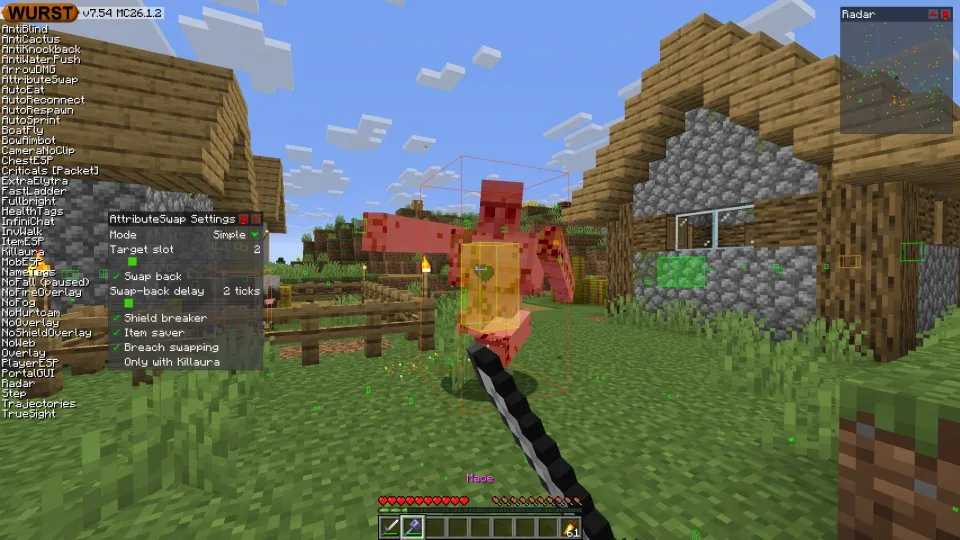
Add Wurst to a Feather or Dawn Fabric instance
Launcher wording changes, but the required sequence stays consistent. Create or select an instance for the target Minecraft version, enable the launcher's Fabric loader option, and open its custom-mod management area. Use the command that opens the instance folder when available; it is safer than guessing the global Minecraft directory.
Import or copy both the Wurst JAR and Fabric API JAR into the instance's mods collection. Some launchers display imported mods in a toggle list. Ensure both are enabled for the same profile. Remove duplicate builds and any source archive before launching.
Start the selected Fabric instance and wait for the Minecraft main menu. If the game opens without Wurst, return to the profile details and verify the instance path. A file placed in the standard Minecraft directory will not load when Feather or Dawn stores that profile in an isolated directory.
- Select or create an instance for the exact Minecraft version.
- Choose Fabric as the loader for that instance.
- Open the instance's custom mods panel or actual folder.
- Add the matching Wurst Client and Fabric API JARs.
- Enable both mods if the launcher provides individual toggles.
- Launch the same instance and test in a single-player world.
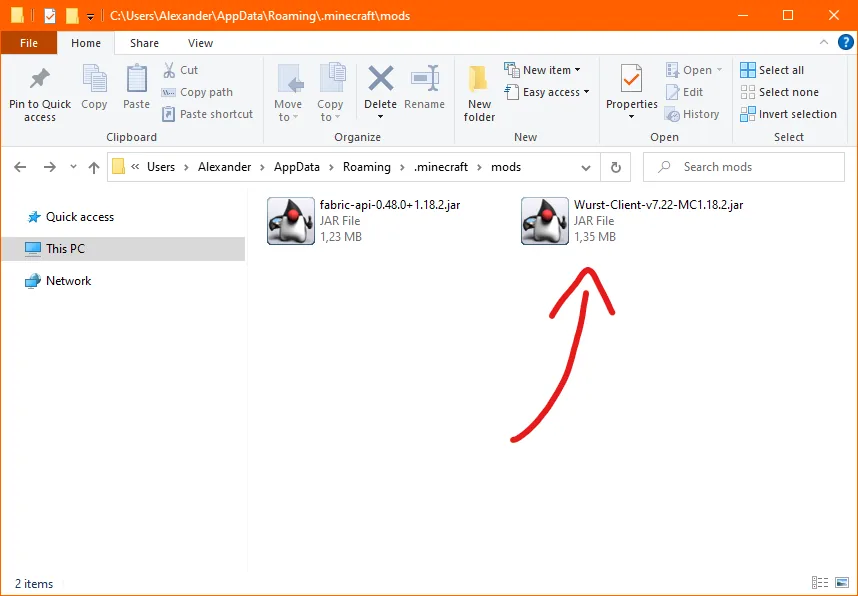
How to download Wurst for Feather Client on Mac
The Wurst JAR does not have a separate macOS edition. Download the same file that matches the Mac launcher's Minecraft version. The differences are the launcher build, Java runtime and location of the isolated instance directory.
Feather's first-party page historically offered a macOS ARM download, which matters for Apple Silicon Macs, but the current migration notice directs users toward Dawn. Install a launcher build appropriate for your Mac architecture, then let the launcher manage its Java runtime when possible. A launcher made only for Apple Silicon will not behave like an older Intel tutorial running under Rosetta.
To find the correct mods folder, use the launcher's Open Folder or Instance Folder control. If you must inspect the default location, Minecraft data is normally under ~/Library/Application Support/minecraft. Finder hides Library by default, and an isolated Feather or Dawn instance may live elsewhere. Never assume the default folder without confirming the active profile path.
macOS may block a downloaded Java installer or JAR from an unrecognized source. Verify that the browser destination is FabricMC or Wurst-Imperium on GitHub, then use the normal Privacy & Security approval flow when appropriate. Do not disable Gatekeeper globally or run an unknown terminal command from a mirror.
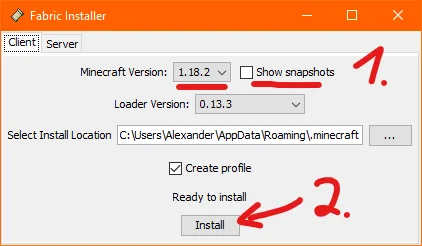
Fix Feather or Dawn Wurst launch problems
If the launcher rejects Wurst during import, first check whether that profile is configured for Fabric rather than Forge. Next compare the Minecraft version in the instance with the MC suffix in the Wurst filename. A mod manager may identify these mismatches before launch.
If Minecraft crashes with a missing dependency error, Fabric API is absent, disabled or made for another game version. If Wurst never appears but Minecraft starts, the profile may be loading another mods folder or the launcher toggle may be off. If the profile worked before Wurst but now crashes with many mods, create a clean Fabric instance containing only Wurst and Fabric API to isolate the conflict.
When the current Dawn client does not expose the older Feather custom-mod workflow, stop following the stale tutorial. Use Dawn's current help material or move the two verified files to a standard Fabric-capable launcher. The goal is a compatible instance, not preserving a specific old menu path.
| Problem | Likely cause | Next check |
|---|---|---|
| Mod import rejected | Profile uses another loader or game version | Create a matching Fabric instance |
| Missing dependency | Fabric API absent or disabled | Add and enable the matching API |
| Wurst does not appear | Wrong instance folder | Open the folder from the launched profile |
| Old tutorial controls missing | Feather/Dawn interface changed | Use current launcher help or standard Fabric |
Account, server and source considerations
Feather, Dawn and Wurst are separate projects. A launcher accepting a custom mod does not mean the launcher developer endorses it, and this independent guide is not affiliated with any of those projects. Keep product boundaries clear when evaluating support advice.
Wurst is a hacked client. Multiplayer server operators may detect or prohibit its modules and can ban an account. Test the technical installation in a local world and read the server's rules before connecting. Do not use a launcher migration or alternate instance as a way to evade moderation.
Use first-party sources for every application and mod. Get the current launcher from its present official destination, Fabric from FabricMC, and Wurst from Wurst-Imperium. Avoid bundled “all-in-one Feather Wurst” packages because they hide which binaries were changed.
Wurst for Feather Client FAQ
Can you use Wurst on Feather Client?
Historically Feather advertised importing custom Fabric mods. It can work only if the actual Feather or Dawn instance still supports Fabric mods for the same Minecraft version.
Is there a special Wurst Feather Client download?
No. Use the normal Wurst Fabric JAR and matching Fabric API. A special patched package is not required by the official Wurst installation model.
How do I install Wurst on Feather Client for Mac?
Use a Mac-compatible launcher build, create a matching Fabric instance, then import the normal Wurst and Fabric API JARs into that instance's own mods folder.
Why does Feather now send users to Dawn?
The first-party Feather website says Feather was acquired by InPvP and users are being moved to Dawn. Current menu paths may therefore differ from older tutorials.
Can I add Wurst to a Forge Feather profile?
Not with the verified modern Wurst 7 Fabric JAR. Create a separate Fabric profile instead of mixing Fabric API into Forge.
Why does Wurst work in the normal launcher but not Feather?
The Feather or Dawn profile probably uses another loader, another Minecraft version, a disabled mod toggle or a different instance folder.
Sources and related guides
Version and compatibility claims on this page were checked against first-party project pages.